@L68321
2018-11-03T03:39:45.000000Z
字数 1156
阅读 291
Operation Manaul of WiFi Temperature Sensor
eMonitor
1. Standard Inclusion
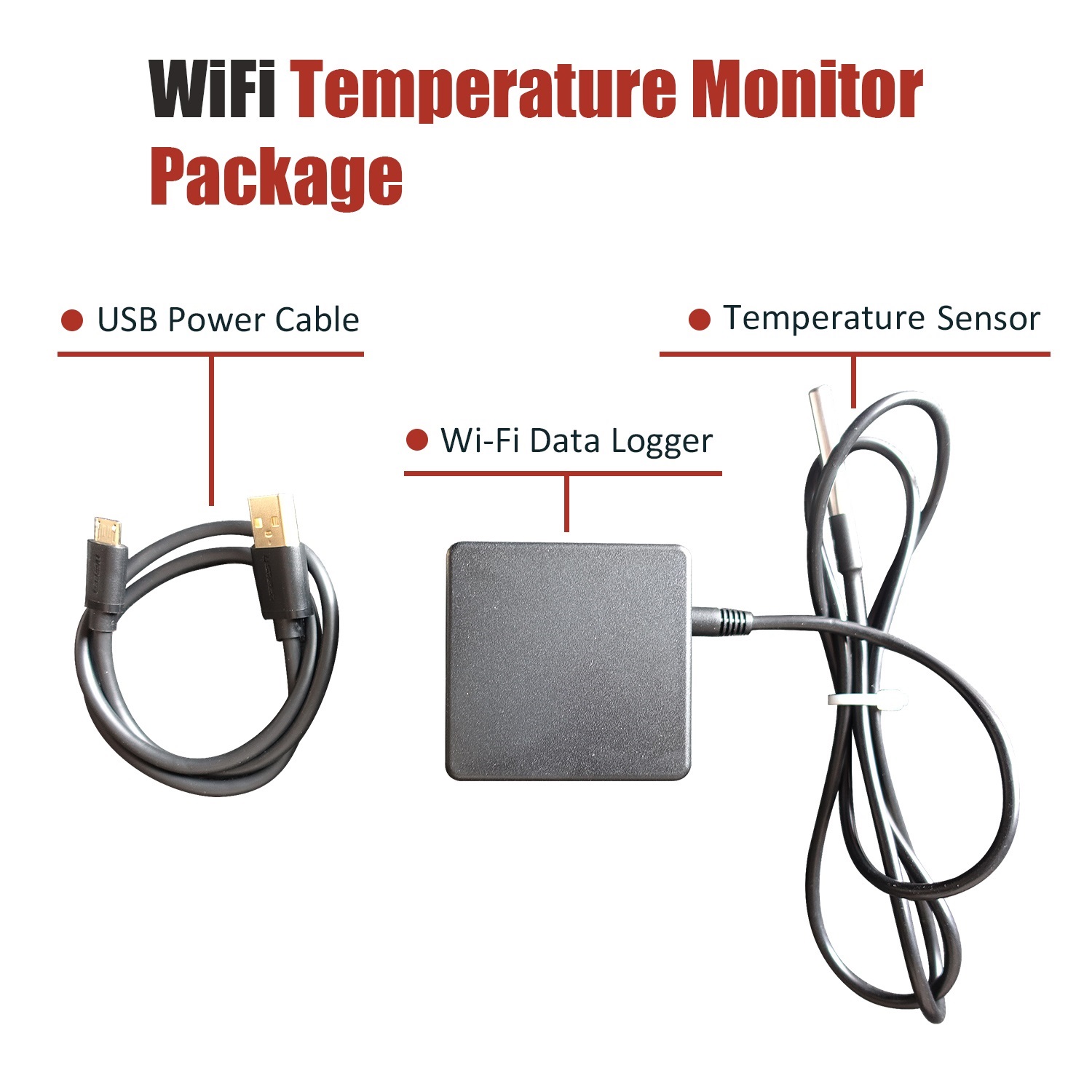
2. WiFi Setup
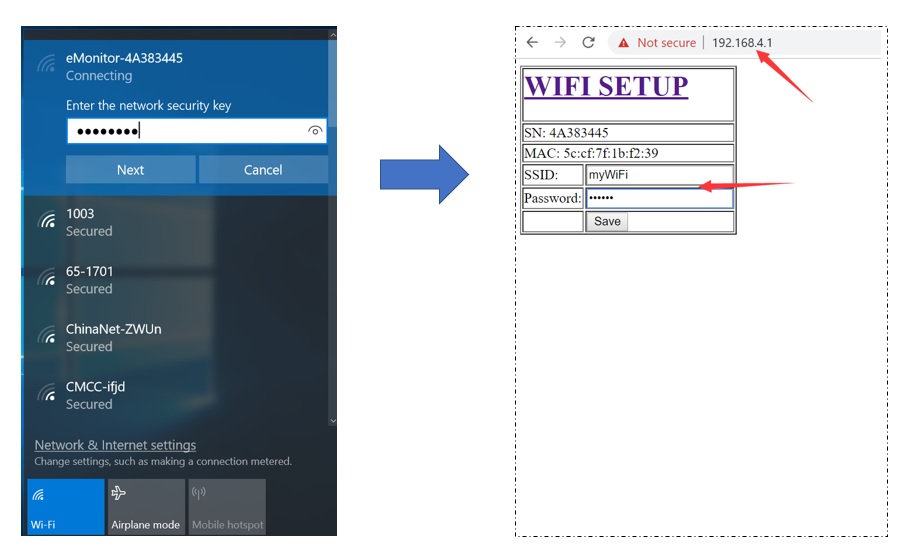
Step1, Use your smart device's Wi-Fi connection setup, connect to the iMeter's network, which will show up as eMonitor_xxxxxxxx (xxxxxxxx is unique device SN). The password is 12345678.
Step2, Whilst connected to the eMonitor's network, open a web browser and navigate to http://192.168.4.1;
Step3, Connect to your home router by manually input the SSID (your home Wi-Fi networks' SSID) and Key (your home Wi-Fi networks' password) and then click "Save"
3. Monitor on DeviceBit
3.1 How it works

3.2 Sign up on DeviceBit

Step1, Visit the website http://ht.devicebit.com/, click "Log in", and the login page is shown
Step2, Click "Sign up", fill up the information on sign up page, enter the meter SN.
SN: Serial Number is unique ID of your Monitor, it is a combination of 8 digits or letters.The WiFi network of iMeter shows up as "eMonitor_xxxxxxxx" and "xxxxxxxx" is the SN.
3.3 Add your monitor on DeviceBit
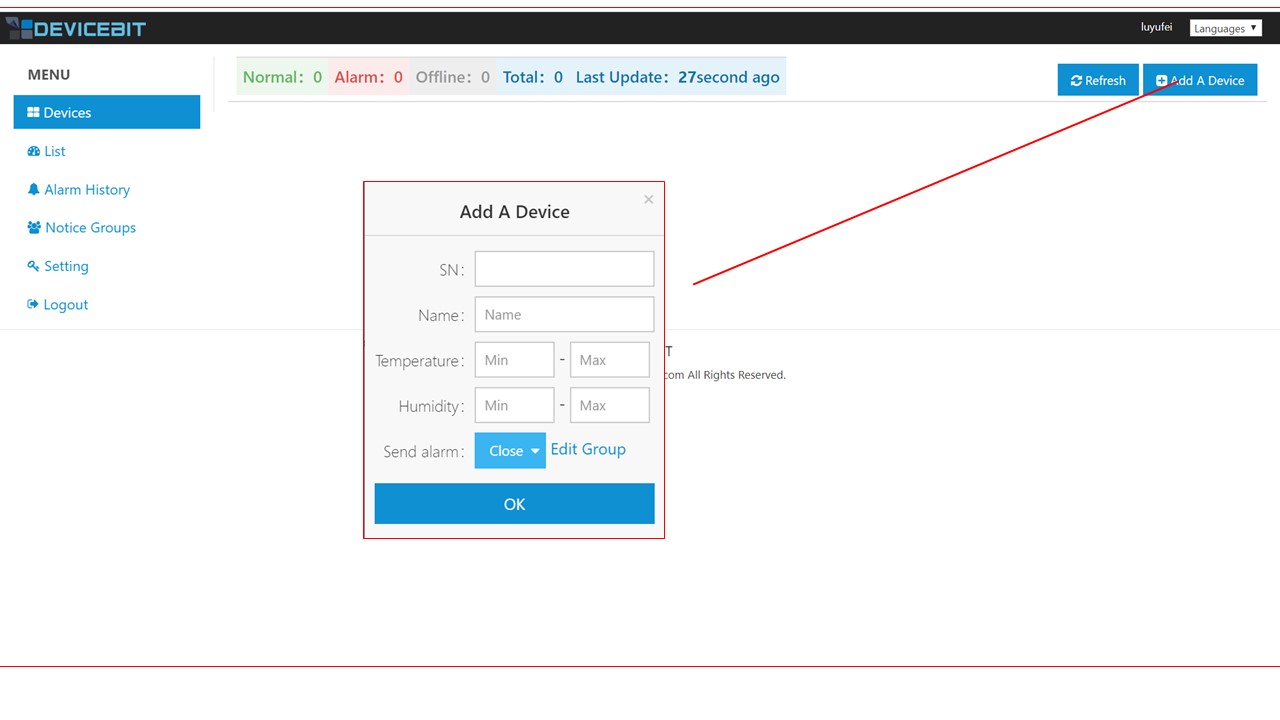
Login and click "Add A Device". SN and Name must be filled. Normal Value Range and Alarm Sending is optional to be filled.
3.4 View your data on webpage
After a while, you can view you data on DeviceBit.

3.5 View your data on Wechat
You can also view data on Wechat by following DeviceBit Wechat ID. Scan the below QRcode to follow:

Login via Wechat by following steps

View your data on Wechat

